.jpg)
1. Technical Adjustments for the Digital Nameplate
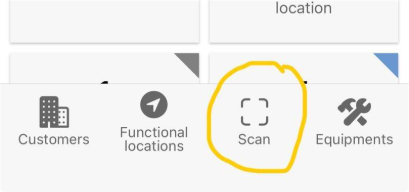
1.1. Field: QR-Code URL
The URL of the digital type plate is stored in this field. The field is not a free text field, as it checks the URL for uniqueness and format.
This means that only valid URLs from Carl Stahl can be stored.
Only URLs generated by Carl Stahl and not yet linked will be accepted – all other URLs will result in an error message.
1.2. Field: QR Website Status (Privacy option)
This switch provides customers with an additional privacy setting. It can be used to adjust the display of information on the website:
-
Switch deactive (“Private”): no information is displayed on the public website when the QR code is scanned with a smartphone camera or QR code scanner.
-
Switch active (“Public”): information about the equipment is displayed on the public website.
Even if the switch has been deactivated, the URL can still be used in the portal and in the app for identification via the in-app scan or the search bar.
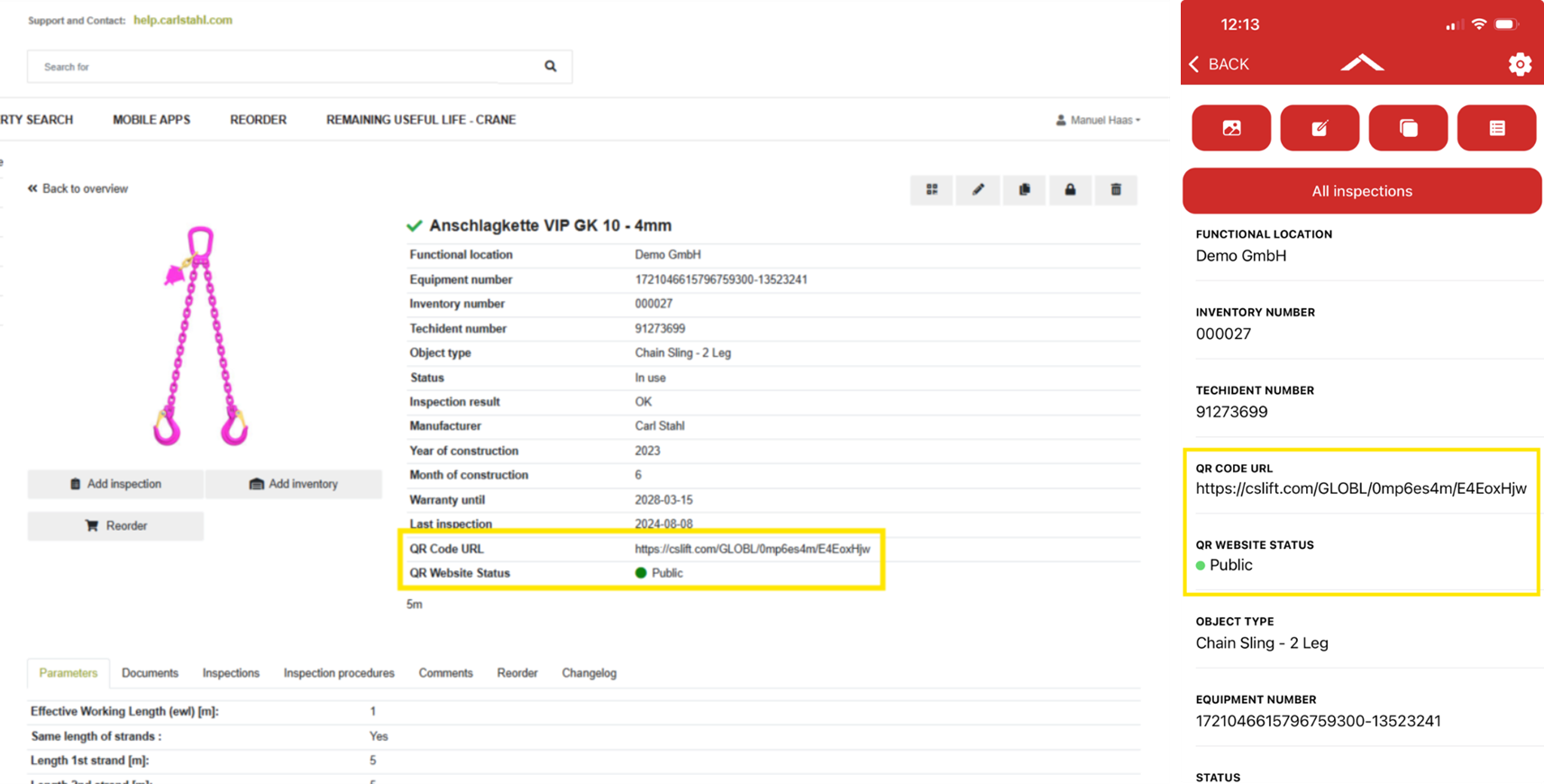
1.3. Scan function in App
The QR code is not only useful for displaying information, but can also be used for identification purposes both in the portal and in the Inspection App.
-
Portal: The search also includes the “QR code URL” field. Simply enter the URL ID, or even just part of it, in the portal's search bar. The URL ID is usually printed on all labels (usually above the QR code).
-
App: The new field has also been included in the scan function. This means that equipments can be identified using the QR code and the scan function of the Inspection App, as was previously the case with the barcode.
Simply scan the QR code in the app and the corresponding equipment will be called up in the app; the website will not be called up in this case.
2. How do I obtain the digital nameplate?
The digital nameplate is provided by Carl Stahl and is already attached to our own-brand products upon delivery or can be added as part of an inspection/service.
Customers do not need to/cannot create their own QR codes – each label is uniquely generated by Carl Stahl. If you are interested, please contact your Carl Stahl representative or use the following contact form: link to contact form
3. Which information is presented and how?
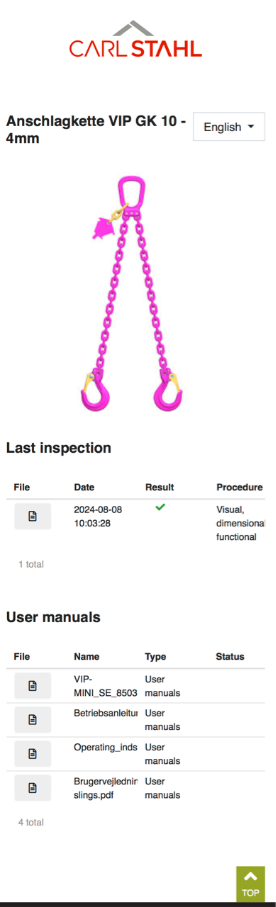
The information is displayed on a publicly accessible website after connecting the URL to an equipment. The public page only displays technical data and no personal or confidential information.
Currently contains the following information:
-
Designation of equipment
-
Equipment picture
-
Date, inspection result and certificate of last inspection
-
The following document types can currently be displayed on the page: user information, operating instructions, test certificates, declaration of conformity
It is also possible to see whether these documents are valid as of today's date based on the status/validity date.
In addition, there are the following websites for different situations:
-
URL is not connected to any equipment:
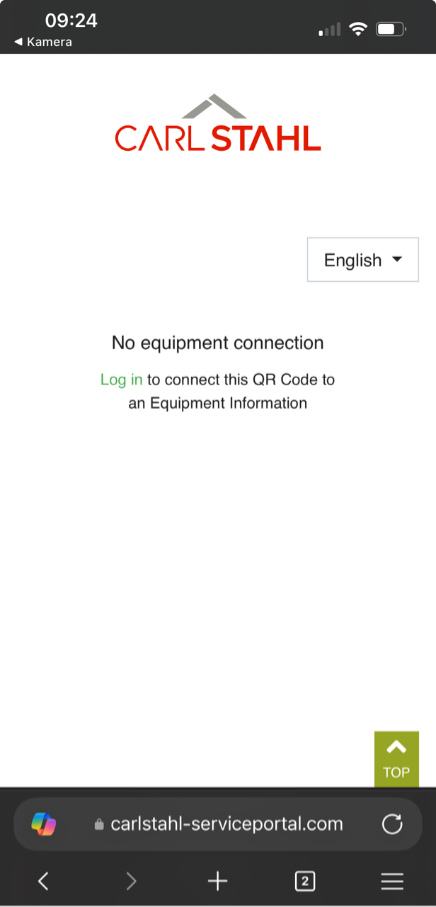
-
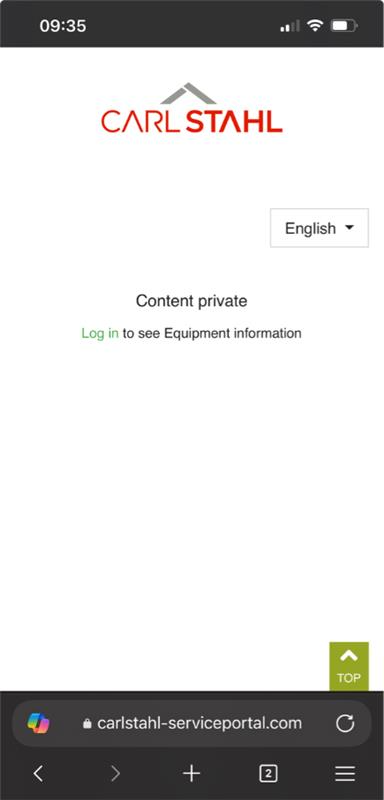
URL-Status is “private”
4. FAQ
What should I do if my QR code is damaged?
Damaged QR codes can be replaced by a Carl Stahl service technician during the next inspection.
The URL linked to the digital equipment can also be removed or reassigned at any time in the portal.
Why do I not see any information when scanning the QR code?
Check the message displayed on the QR webpage.
It should indicate why no information is shown, for example:
-
the URL has not yet been linked to an equipment
-
the equipment is set to “Private”
Can I upload my own documents?
Yes. Additional documents can be uploaded on the equipment in the portal at any time.
To ensure they appear on the QR webpage, the document type “User Information” must be selected.